View Banked Sick Time
UPRR ePayroll
How to Check Your Banked Sick Time
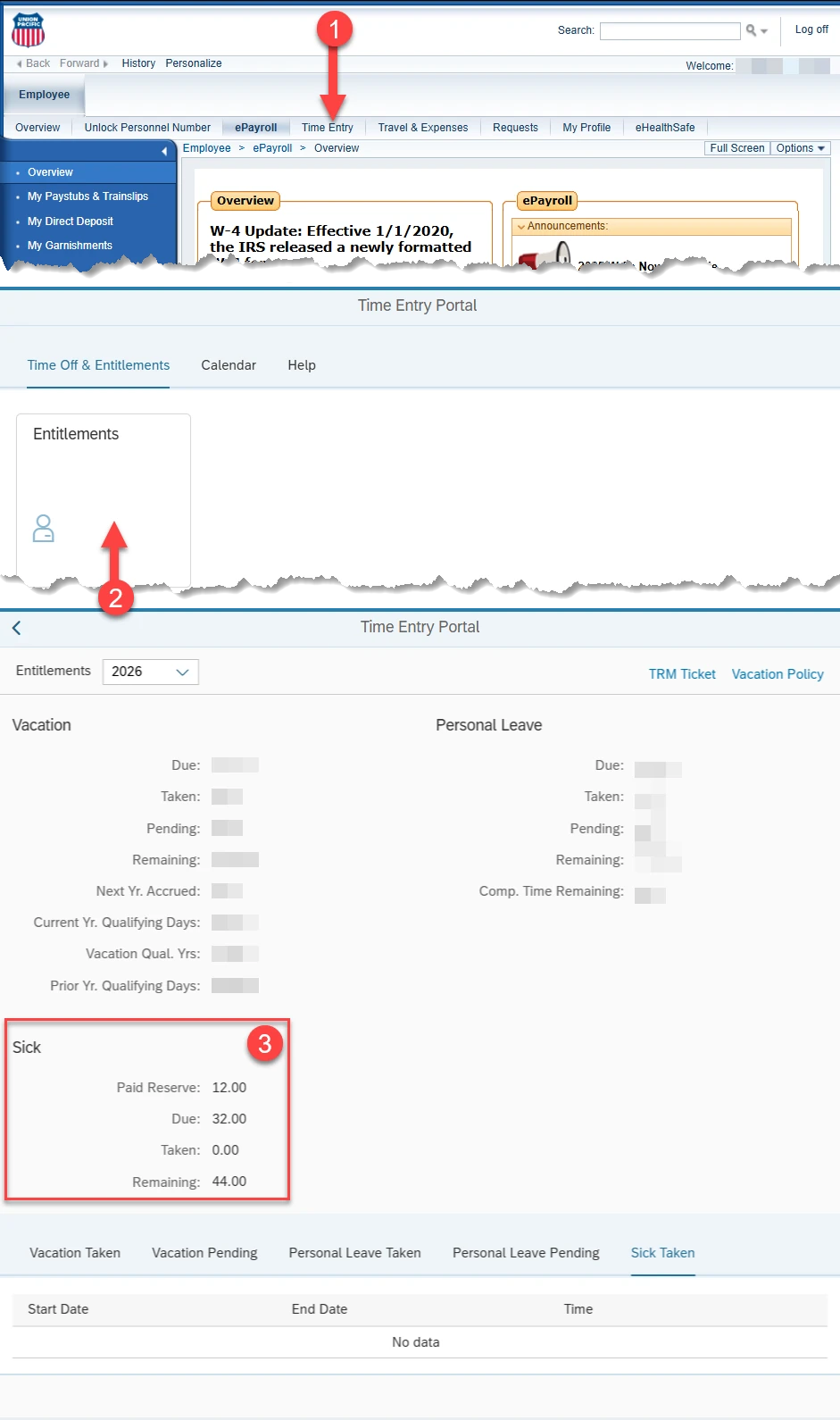
Your Paid Reserve shows the banked sick time carried over from the previous year and added to the new year.
Steps
-
Click Time EntryStart here after you’re logged into ePayroll.
-
Click EntitlementsThis opens your available time and balances.
-
Look for Paid ReserveThat’s your banked sick time (carryover from the prior year).
If you don’t see Entitlements or Paid Reserve, make sure you’re in the
ePayroll area (not a different HR tile), then refresh after login.
What to Click (Screenshot)
Open image